01 · Video editor
Adding essential video editing without turning demos into complex editors
Storylane's video steps used a single trim tool: one scrubber, cut and trim handles, a play button. Enough to shorten a clip. Nothing else.


Defining the scope
A full video editor could support dozens of tools: transitions, overlays, color grading. We didn't need any of that. As a team, we focused the editor around four capabilities that were useful for demo creation: zoom, blur, crop, and split.
Keeping editing focused
Most video editors put their controls in a persistent side panel next to the canvas. Storylane isn't selling a video editor. It's selling a demo-building tool, and video is one part of a canvas that already has chapters and steps competing for space. A permanent panel would have made editing feel like the main event instead of a supporting feature. So every tool opens in its own focused pop-up instead.
01
Demo
02
Select / Add effect
03
Focused pop-up
04
Configure
05
Save
06
Layer added
01
Demo
02
Select / Add effect
03
Focused pop-up
04
Configure
05
Save
06
Layer added
You never leave the demo for a separate editor. Pick an effect, set it in the pop-up, save, and it becomes a layer. The canvas stays a demo the whole time.
The main timeline only ever shows what's been applied and where: a small marker per effect, never the controls themselves.
From reference to fit


Existing editing tools gave us familiar interaction patterns to work from. We adapted those patterns to fit Storylane's lighter-weight demo editing experience.
Designing the effect flow
The controls inside each pop-up (position, level, speed, duration) were designed after looking at existing video editors to see which patterns were easiest to pick up for someone who'd never edited video before. The values are deliberately unoriginal; familiarity mattered more than originality here.


Handling layered effects
Because overlapping blur layers couldn't be freely stacked, we kept a predictable ordering and made the layers visually distinct.


Supporting states
The four tools needed a small set of supporting states: playback speed, split, trim, and the empty and error screens. Enough to make the editor feel finished, not a second product.


Result
The toolset shipped and stayed live in Storylane's editor for the rest of my time there. Storylane has since simplified the editor in a later update. What's shown here reflects what I designed and helped ship.
02 · Labels
Making labeling fast enough for a growing demo library
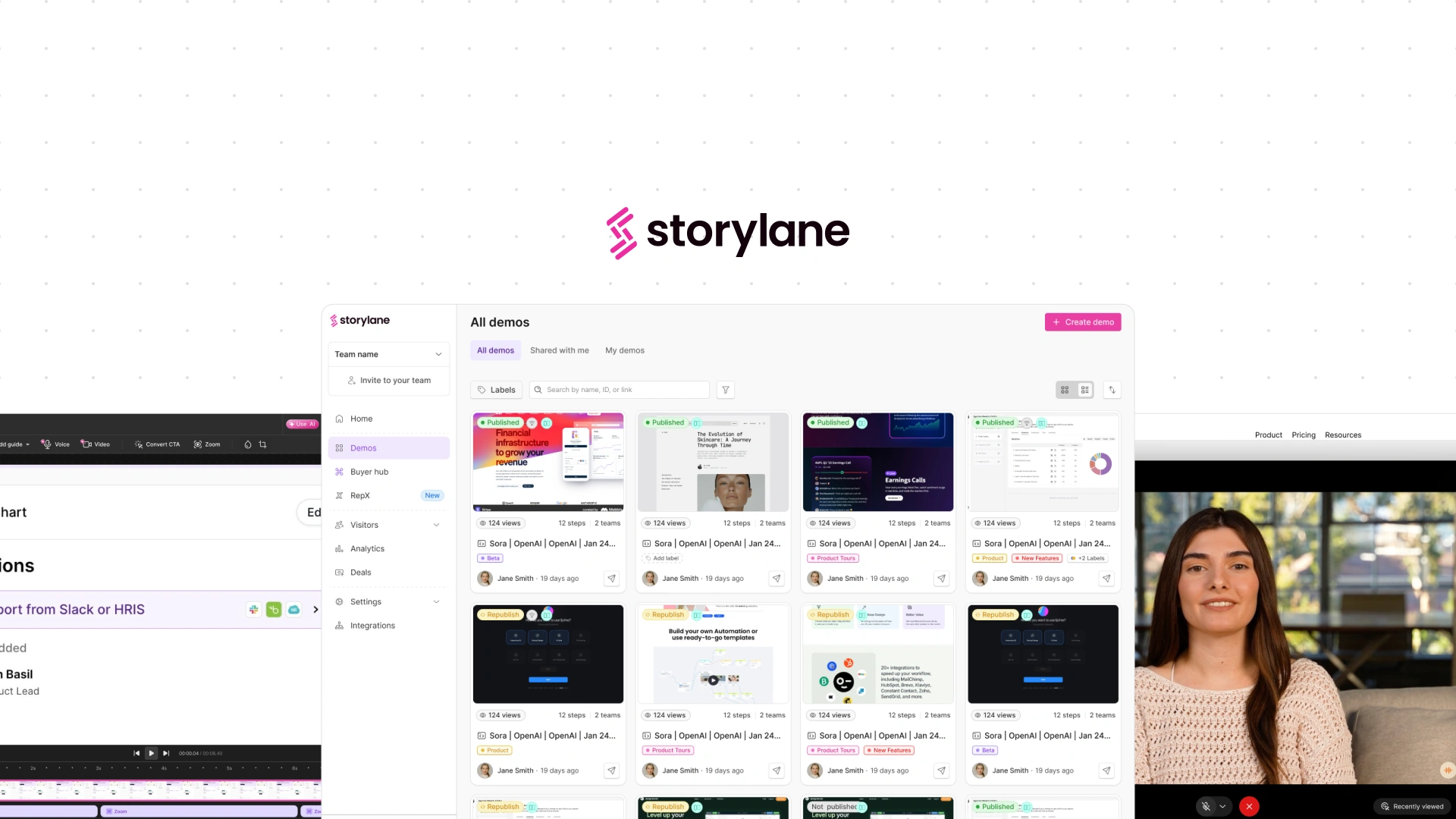
As the number of demos grew, finding a specific one meant scrolling a flat list. Labels let a demo belong to one or more groups, but the harder part wasn't the concept of a label. It was making applying and changing one feel effortless enough that people would actually keep doing it.


Starting from a familiar model
We didn't want to invent a new mental model. Gmail gave us the basic shape (create a label, name it, choose a color, apply it), which meant people already understood what a label was before they touched Storylane's version of it.
Linear gave us a second reference: labels there can be changed directly from the chip, without navigating anywhere else.


We kept the mental model familiar and focused the actual design work on making the interaction faster inside Storylane's library.
The one decision that mattered most
Opening a menu every time someone wanted to tag a demo was too much friction for something meant to happen constantly. So applying a label and managing a demo's labels became two separate, deliberately different interactions. Drag a label onto a demo to apply it: no menu, no picker. Click an existing label chip on a demo to open the picker and add, change, or remove.
01
Create label
02
Name + color
03
Save
04
Apply to demo
05
Change / remove
01
Create label
02
Name + color
03
Save
04
Apply to demo
05
Change / remove


This kept the common action lightweight, while giving more deliberate changes (swapping a label, removing one, adding a second) their own contained space to happen in.
Making labels consistent across the library
A demo can carry multiple labels, and they can be changed or cleared straight from its card. A dedicated sidebar lets someone filter the whole library by label, and it all works the same whether they're browsing in grid or list view.


The system combined Gmail's familiar model with Linear's faster inline editing, adapted around one specific problem: making labeling fast enough to fit into browsing the library, not just a one-time cleanup task.
03 · RepX
Designing an AI agent that could answer, then demonstrate
RepX was an early product direction for Storylane: an agent that could answer a visitor's product questions using the company's configured product knowledge, then guide them through a relevant demo without leaving the conversation.

The concept was intentionally simple. A visitor could start with a suggested question, talk to an agent (Lily, in Storylane's case), and ask follow-ups. When a question was better shown than explained, Lily could offer a demo and continue answering questions while the visitor explored it. A company could also create multiple agents, each with its own knowledge and persona.
01
Start
02
Ask
03
Lily answers
04
Offer demo
05
Demo + conversation
01
Start
02
Ask
03
Lily answers
04
Offer demo
05
Demo + conversation
I designed the UI for this direction, including the agent interface and the states needed to move from conversation to demo and back.


A direction that didn't ship
The concept didn't move into production. As the team prioritized speed, RepX moved toward a lighter implementation rather than building out this full interaction model.
Supporting UI
Alongside the agent exploration, I designed the UI for Product Knowledge, Persona, Embed, and Integrations. Some of these started from product direction or prototypes from my PM, with my work focused on translating those requirements into the interface. Parts were later reviewed and refined with the senior designer as the product direction evolved.


Other product work